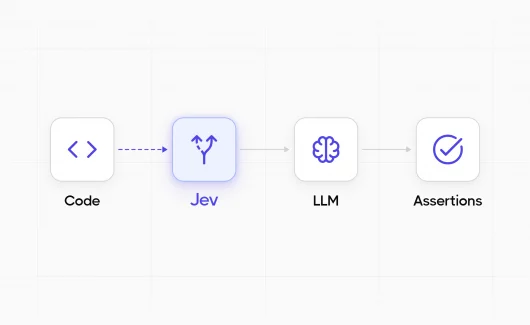
Most AI models are built to write an answer. Jev is built to make a decision. Explorbot is an open-source agent that tests web applications in a real browser. It runs as fast as it can using small and cheap models. During a test, it often needs to answer small, closed questions:
- Which of these elements should I click?
- Is this expected result already verified?
- Is the test still making progress?
These questions do not need an essay. They need a single fast answer at a predictable cost. Jev gives Explorbot deterministic AI decisions for these questions: the format of every answer is known before the call.
What Is Jev?
Jev is the first System One model from TypeSafe AI. It takes a state and a closed question and returns a typed answer with a probability. Instead of generating free-form text, Jev receives some state, evaluates questions, and returns typed answers with probabilities. TypeSafe describes this as “unstructured state in, typed probabilistic decisions out.” You can call Jev through the TypeSafe API or through OpenRouter as typesafe/jev-1.13.
Jev is a notable shift from the current focus on larger reasoning and chat models. Speed, cost, and reliable decision interfaces are becoming important again. We expect more models to follow this direction because agents make many small decisions while doing larger tasks. For Explorbot, this is very useful. A browser-testing agent may make dozens of narrow decisions in one run. Usually we had to strip some decisions or use regex patterns to act faster. Now, we can ask Jev.
A Practical Example: Choosing the Right Element
Consider a test instruction:
Open Billing settings.
The current page may contain several elements related to billing:
- A Billing link in the account sidebar.
- A Billing policy link in the footer.
- A Change billing plan button inside a pricing card.
- A second Billing link in a hidden mobile menu.
A browser tool cannot safely click “Billing” because the text is not unique. The correct element depends on meaning and context, not only on matching words.
How Explorbot Handled This Before
The simplest solution is to pick the first element. But is it the right one? Should we spend extra time on another AI request when we are fairly sure the first link is usually correct? If we pick the wrong path, we waste more time and money than one more AI request would cost.
Even with LLM structured output, a text-generation model may spend time producing reasoning, following a JSON schema, and generating tokens just to return 1. It can also return malformed output or invent an option that was not supplied.
Spending 30 seconds on a stale page while we query an AI service again for confidence is also not a good way to move through a web page. We need to act, and act fast.
How Explorbot Handles It With Jev
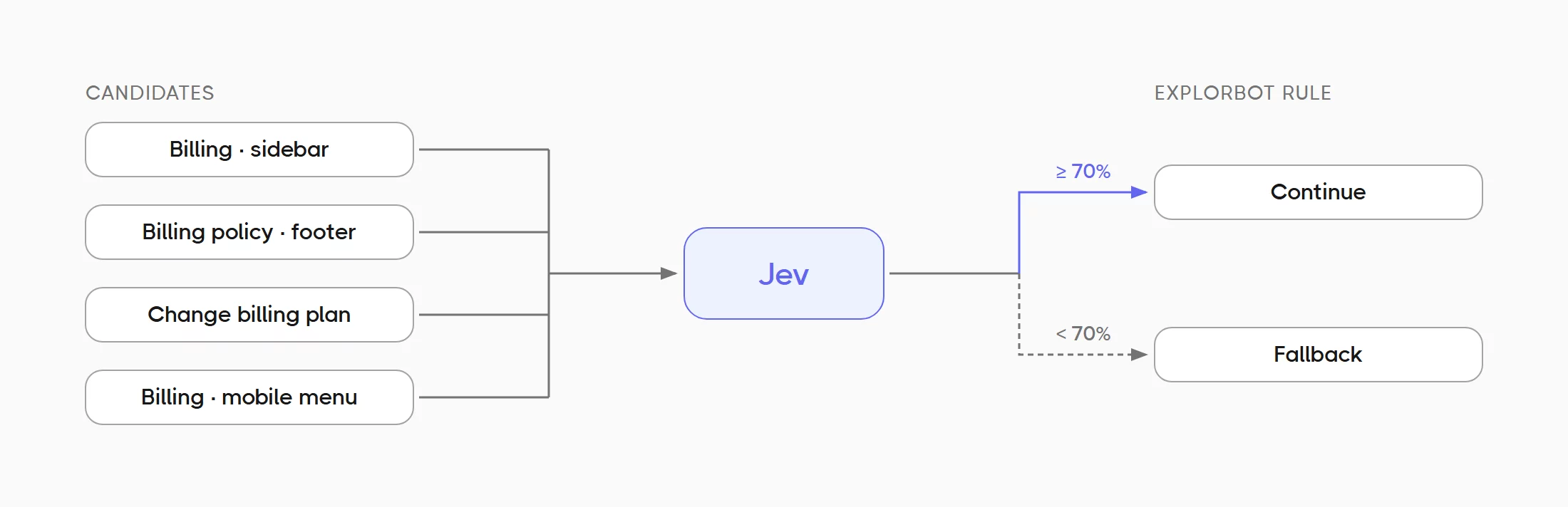
Explorbot gives Jev a closed list of candidates and asks it to choose one:
Intent: Open Billing settings.

Candidates:
0. Link “Billing” in the account sidebar
1. Link “Billing policy” in the page footer
2. Button “Change billing plan” in the current plan card
3. Link “Billing” in the hidden mobile navigation

Question: Which element best matches the intent?
Jev returns a probability for the available choices. It cannot answer with a new selector, a paragraph, or an element that was not in the list.
Explorbot then applies a normal code rule:
If the best choice is above the confidence threshold, use it.
Otherwise, fall back to the existing handling.
This separation is important:
- Jev makes the semantic choice.
- Explorbot remains responsible for the safety rule, the threshold, the click, and the fallback.
The result is a bounded decision rather than another agent conversation. If Jev is confident that candidate 0 is correct, Explorbot can continue. If confidence is low, it does not guess blindly.
Deterministic vs Probabilistic AI: The Gap Between Regex and a Full AI Request
Deterministic AI gives the same output for the same input. Probabilistic AI, like an LLM, picks the most likely answer, so the same input can give a different output.
Before Jev, we mostly had two options:
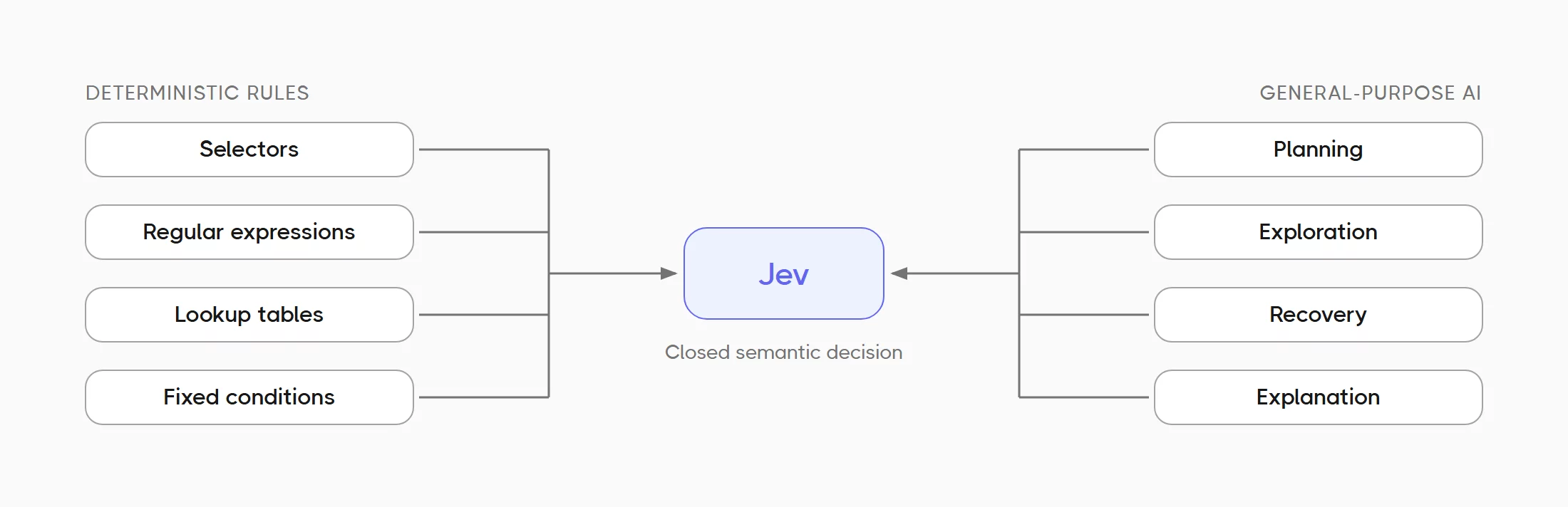
- Deterministic rules: selectors, regular expressions, lookup tables, and fixed conditions. They are fast and easy to reproduce, but they become fragile when a decision depends on meaning.
- General-purpose AI requests: flexible enough to understand meaning, but slower, more expensive, and able to return unexpected text. Their output is non-deterministic, so you need extra checks for every answer.
Jev fits between them. Its output interface is deterministic: the allowed answer types and choices are defined before the request, so Explorbot always receives the expected structure. The model’s judgment is still probabilistic, which is why every answer includes a probability and Explorbot uses a threshold.
In other words, Jev is not a hard-coded rule. It is a semantic decision inside a hard-coded boundary. That is a good fit for Explorbot. We can use code where the answer is truly mechanical, Jev where the answer is closed but semantic, and a larger language model where the task needs planning, explanation, or several reasoning steps.
What Jev Changes in Explorbot
Jev is useful in places where all possible answers are known before the call. Examples include:
- Choosing one element from several matches.
- Deciding whether a recent sequence of actions still looks healthy.
- Matching a new expected result to one already verified.
- Deciding whether a visible page state supports a narrow claim.
- Choosing which listed control is most likely to lead to a target page.
Explorbot wraps these decisions in one interface and uses a 70% confidence threshold. A confident decision can continue the flow. A low-confidence answer, timeout, or failed request falls back to the previous behavior. The decision model is optional, so Explorbot works as before when it is not configured.
This approach gives us three useful properties:
- Bounded output. Jev selects from answers we define instead of generating arbitrary text.
- Visible uncertainty. The probability is part of the response and works as a confidence score, so uncertainty can trigger a fallback. With a general LLM, you need an extra request to get an LLM confidence score.
- Small, fast calls. Closed questions no longer need a full agent response.
The Benchmark Claims in Practical Terms
TypeSafe published speed and cost numbers for Jev when it launched the model. Here is what these numbers show and how they compare with our own Explorbot measurements.
What TypeSafe Reports
| Metric | TypeSafe claim |
|---|---|
| Response time | 70–500 ms on TypeSafe’s service |
| Input price | $0.042 per million tokens |
| Output price | Free |
| Speed | Up to 193.6× faster than the reference models |
| Cost | Up to 444.6× cheaper than the reference models |
For closed decision tasks, TypeSafe reports that Jev performs about 100 times better overall.
How to Read These Numbers
- Source: these are TypeSafe’s own benchmarks. An independent web-testing benchmark would give a more neutral picture.
- Possible bias: people on TypeSafe’s model-capabilities team built the workflows.
- Reference answers: larger models produced them, so the published gains are likely near the high end of real-world results.
Expect smaller gains in real tasks than the 193.6× peak. The main point: a specialized decision model skips the long text generation that a normal LLM runs before it returns a small structured answer.
Our Own Explorbot Measurements
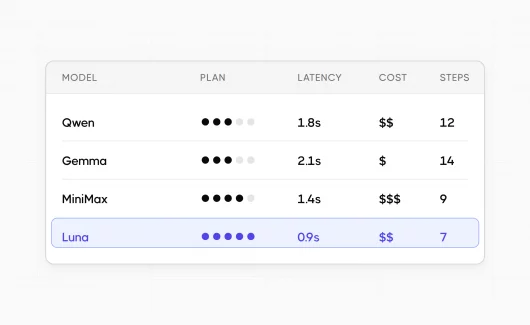
Our own Explorbot measurements of LLM latency show that the shape of the task matters:
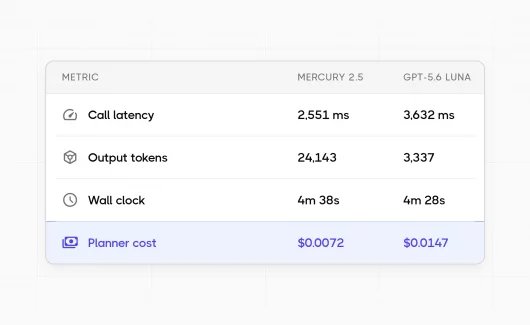
- Supervisor decisions: Jev answered in about 0.3–0.4 seconds, and the larger agent model took about 2.5–2.8 seconds.
- Small page-reading questions: a cheap non-reasoning model was as fast as Jev or faster.
So Jev’s value comes from more than token price. Its bounded answers and probabilities fit into your code in a predictable way.
Why Jev Does Not Replace Web Testing Models
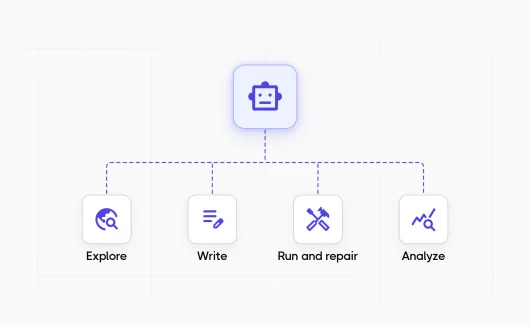
Web testing is not one decision. It is a sequence of actions and observations:
- Understand the goal.
- Inspect the current page.
- Choose an action.
- Interact with the browser.
- Observe what changed.
- Recover from unexpected behavior.
- Explain the result.
Jev answers a narrow question about a state that Explorbot already has. The testing agent plans the test and controls the browser. The general-purpose model investigates failures and explains defects to QA engineers. For page-reading tasks, you need to choose the tool carefully. A real page often produces a long HTML document or an ARIA snapshot with hundreds of elements. A large state makes each call to a decision model slower and more expensive. The model also makes mistakes when it counts elements or links several reasoning steps. Jev answers well when the state shows the answer directly.
For example, Jev may choose which listed button best matches “open account settings.” It should not be asked to complete the whole journey, decide whether the saved data survived a reload, and diagnose why the server rejected the form, all in one question.
A useful rule for LLM routing in a testing agent is:
- Use code for exact checks and known structure.
- Use Jev for one closed semantic decision.
- Use a general-purpose model for planning, exploration, recovery, and explanation.
- Use real browser assertions for proof.
Jev helps Explorbot decide what to do next. It does not replace executing the test or verifying the result.
Where Jev Helps in Testing Work
Jev answers small, closed questions. Every testing role faces such questions every day. Here is how Jev helps at different levels of testing work.
Jev for Software Testing
Software testing often depends on small questions about meaning, for example:
- Does the visible page state support the expected result?
- Does a new expected result match a result the test verified earlier?
You can ask Jev these closed questions and get a typed answer with a probability. With these answers, the agent skips repeated checks and moves to the next step faster. Real browser assertions give the proof. Jev chooses what to check next, and the assertion confirms the result.
Jev for Test Automation
Test automation usually uses selectors and fixed rules. These rules work well for a known page structure. They fail when a page has several similar elements. In Explorbot, Jev chooses between listed elements, such as the four Billing elements from the example above. Explorbot clicks the element when Jev reaches 70% confidence. In other cases, Explorbot uses the fallback.
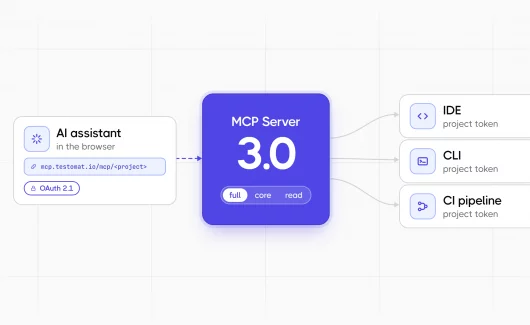
You can choose where Explorbot uses Jev:
directflag: Explorbot calls Jev at its built-in decision points.toolflag: the testing agent asks Jev a decision question during a run.
Jev for QA
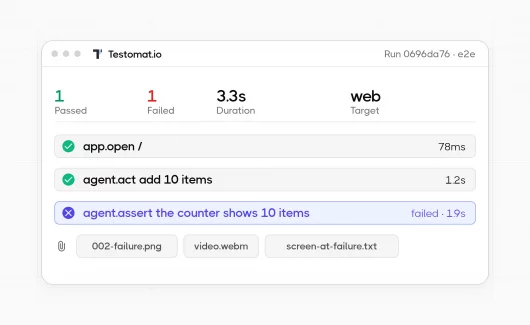
Explorbot gives QA engineers a clear record of every decision. It saves each Jev question in its decision trace, together with the selected answer and its probability. After a run, you can review low-confidence choices and find the steps where the agent was unsure.
You can enable Jev for a single project first and compare runs with and without the decision model. Explorbot run reports appear in Testomat.io next to your other test results.
Optional Setup
Jev support is optional and off by default. Without ai.decisionModel, Explorbot makes no Jev requests and keeps its existing behavior. You can find the Explorbot source code and docs on GitHub.
Install and initialize Explorbot:
npm install explorbot
npx explorbot init
Use Jev Through OpenRouter
Jev 1.13 is available on OpenRouter. Set an OpenRouter key in the environment:
export OPENROUTER_API_KEY="your-key"Then add the decision model to the Explorbot configuration:
export default {
  ai: {
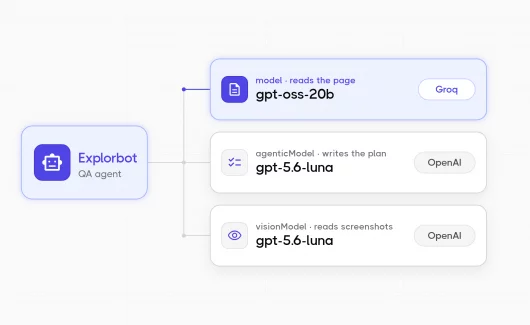
    // Keep your existing model, agenticModel, and visionModel settings.
    decisionModel: {
      provider: 'openrouter',
      model: 'typesafe/jev-1.13',
    },
  },
};
Use TypeSafe AI Directly
Create a key in the TypeSafe console, as the TypeSafe AI quick start describes, and expose it to Explorbot:
export TYPESAFE_API_KEY="your-key"Then configure the direct provider:
export default {
  ai: {
    // Keep your existing model, agenticModel, and visionModel settings.
    decisionModel: {
      provider: 'typesafe',
      model: 'jev-latest',
    },
  },
};
Two optional flags control where Explorbot uses the model:
decisionModel: {
  provider: 'typesafe',
  model: 'jev-latest',
  tool: true,   // Let the testing agent ask Jev a decision question.
  direct: true, // Use Jev at Explorbot's built-in decision points.
}
Remove decisionModel to disable the integration. Explorbot records the question, selected answer, and probability in its decision trace, which makes low-confidence or incorrect choices easier to review.
Bottom Line: A New Decision Layer for Explorbot
Jev is a good new fit for Explorbot because it handles a common class of work that sits between regex and a full language-model request: fast, closed decisions that require an understanding of meaning. It gives us a practical middle layer. The browser and assertions provide evidence, and general-purpose models plan and explain. Jev handles the small decisions between them, with constrained answers and visible uncertainty. That makes Explorbot faster where speed matters, while the full web test stays with the agent and the browser. Try Testomat.io for free and see Explorbot run reports next to your other test results in a single view.